Built on the Tibbo TPP2W(G2) programmable platform

Bridge every Modbus network — TCP, RTU & ASCII — on one gateway.

Connect serial field devices to your SCADA, PLC, or cloud without rewiring or rewriting protocol logic. Four independent Modbus channels, Ethernet and Wi-Fi, and a live LCD status screen — configurable in minutes.

or view the full specifications →

✓ Field-configurable, no firmware rebuild ✓ Ethernet + Wi-Fi ✓ Application engineer support
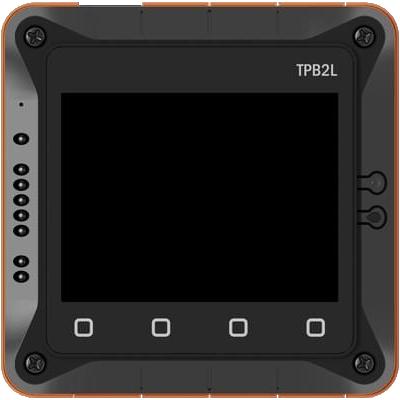
Tibbo Modbus Gateway in the TPB2L enclosure, front view with the 320x240 LCD status screen and four-key sensor keypad
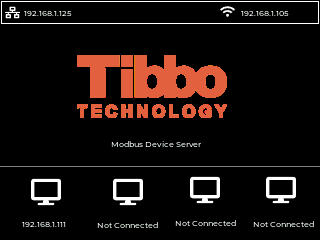
Live gateway screen: Modbus Device Server, Ethernet 192.168.1.125, Wi-Fi 192.168.1.105, and four Modbus device slots (192.168.1.111 connected, three Not Connected)
Actual on-device display — Tibbo Modbus Device Server running in the TPB2L enclosure
4Independent Modbus channels
3Protocols: TCP · RTU · ASCII
2Uplinks: Ethernet + Wi-Fi
LCDOn-device live status
RS-232 / RS-485 serial (Tibbit 05) Configurable baud, parity, data bits, flow control DHCP or static IP Per-channel listening port & device mapping Password-protected config
Why engineers choose it

Protocol translation that just works on the plant floor.

Point a Modbus TCP master at a legacy RS-485 slave, or expose serial meters to a cloud gateway. The routing, framing, and timeout handling are done for you.

Any-to-any Modbus routing

Route requests and replies between Modbus TCP, Modbus RTU, and Modbus ASCII masters and slaves — mix and match per channel.

🔀

4 concurrent channels

Each channel has its own listening port, protocol, serial settings, and mapped target devices — run four segregated links at once.

🔌

Serial done right

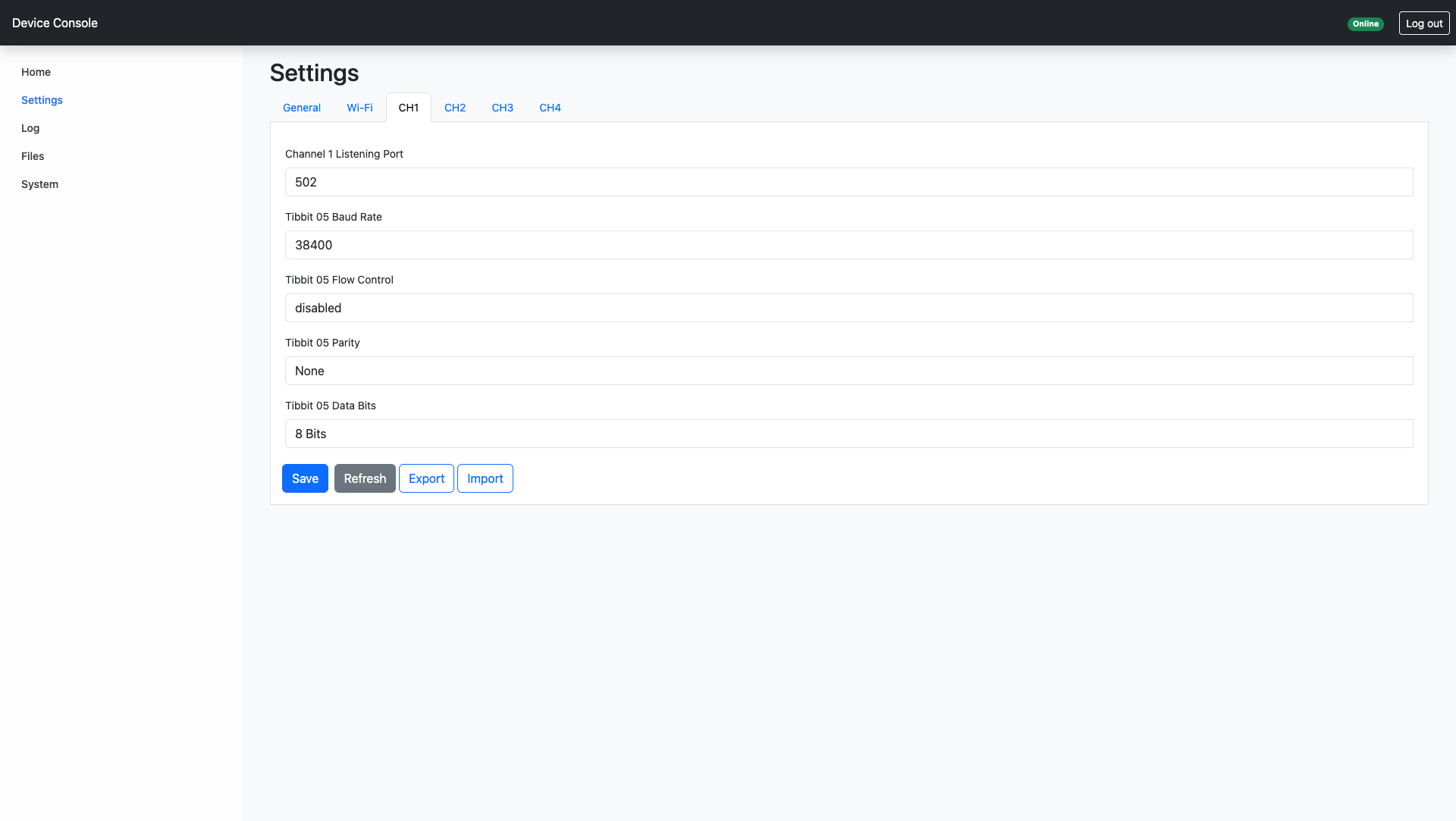
RS-232 and RS-485 via the Tibbit 05 module, with independent baud rate, parity, data bits, and flow control per port.

📶

Ethernet & Wi-Fi

Wire it into your control network or drop it onto plant Wi-Fi. DHCP or static addressing on both interfaces.

🖥️

Live LCD status

Read IP, link state, and traffic health right on the device — no laptop needed for a quick health check in the field.

🛠️

Programmable platform

Built on Tibbo's TPP2W(G2) and AppBlocks. When your application needs a tweak, the logic is open to extend — not a black box.

Configure from any browser

A built-in Device Console — no software to install.

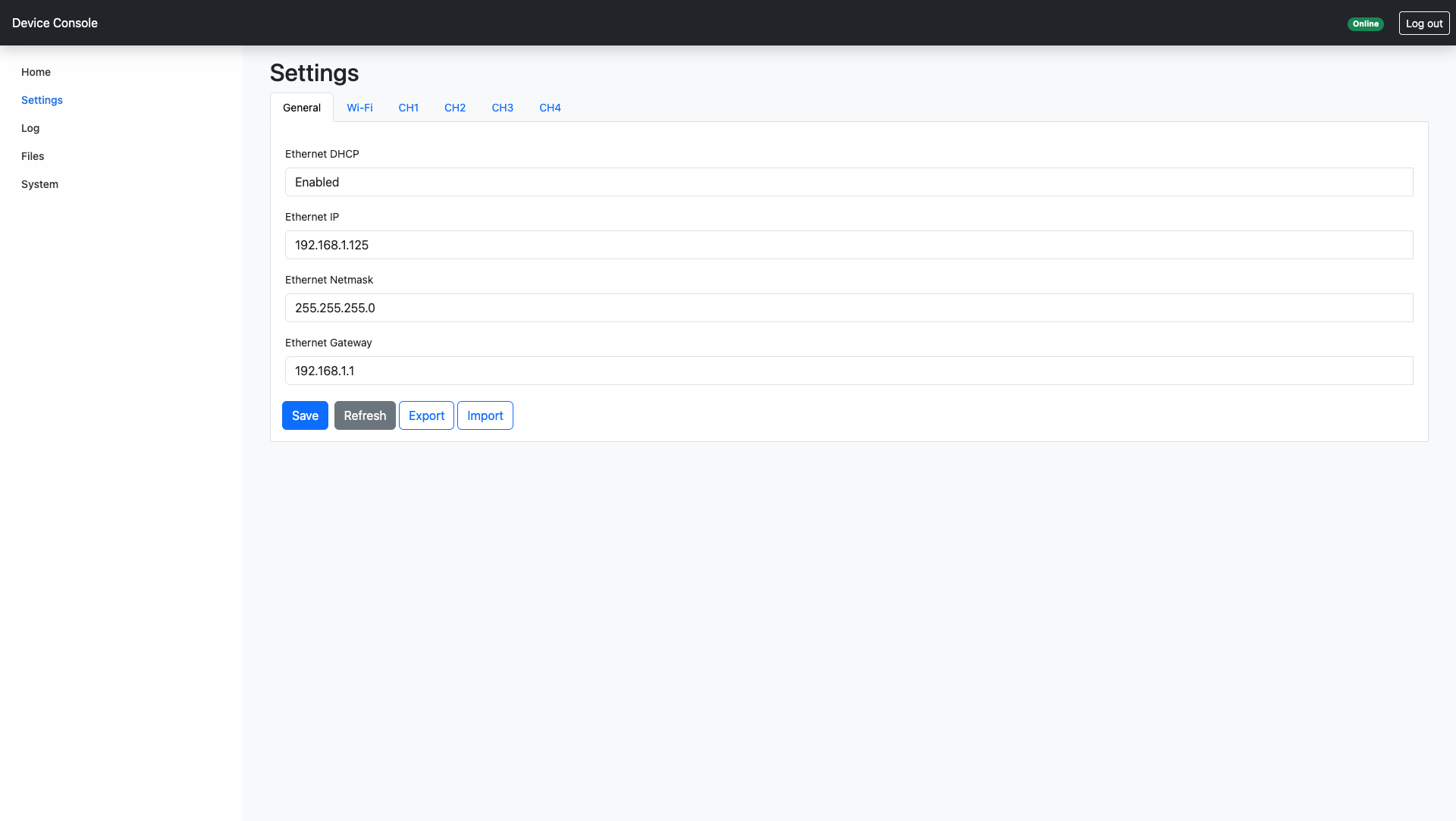
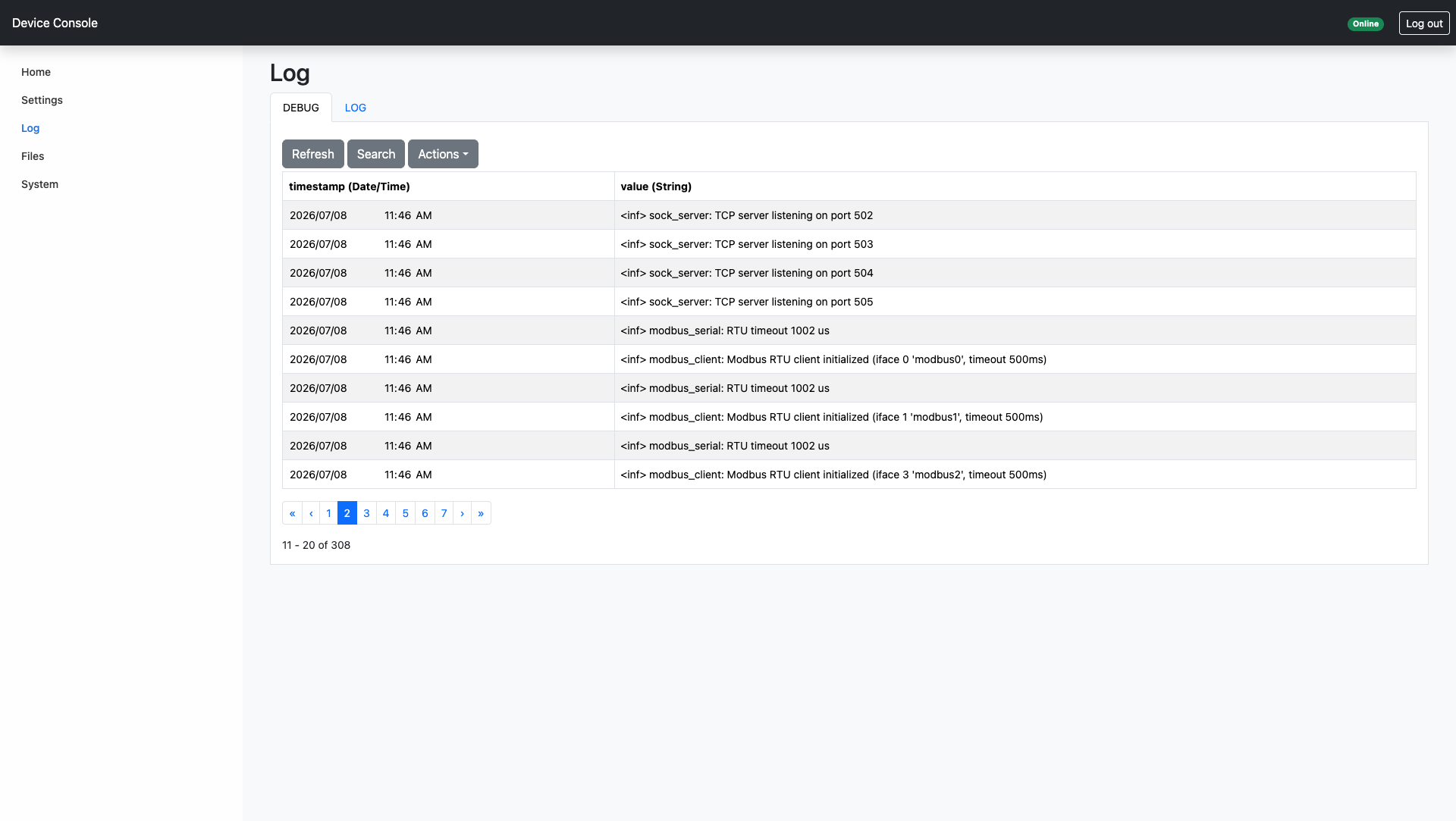
Point a browser at the gateway's IP and you get a password-protected web console for network setup, per-channel serial parameters, and live diagnostics. Import and export the full configuration to roll it out across a fleet.

🔒 192.168.1.125/settings
Device Console Settings page, General tab: Ethernet DHCP enabled, IP 192.168.1.125, netmask 255.255.255.0, gateway 192.168.1.1, with Save, Refresh, Export and Import buttons

Network settings. Ethernet and Wi-Fi addressing — DHCP or static IP, netmask, and gateway — configured right from the General tab.

One page, three stakeholders

Answers for everyone in the decision.

Controls / Automation Engineer

  • Bridge legacy RS-485 devices to Modbus TCP masters
  • Per-channel protocol, port, and serial parameters
  • Configurable Modbus timeout for slow slaves
  • On-device LCD for fast field diagnostics

Integrator / OEM

  • Programmable AppBlocks logic you can extend
  • Consistent Tibbo hardware you can standardize on
  • Ethernet + Wi-Fi covers wired and retrofit sites
  • Reusable across multiple client deployments

Plant / Project Manager

  • Cut integration time — no custom protocol code
  • Retrofit existing equipment instead of replacing it
  • Application engineer support from Tibbo
  • One SKU handles TCP, RTU, and ASCII sites
Specifications

Technical snapshot

Confirm exact model configuration and certifications for your region with our engineering team before you spec.

ParameterDetail
PlatformTibbo TPP2W(G2) programmable device, Zephyr runtime, configured with Tibbo AppBlocks
FunctionModbus gateway — routes requests and replies between Modbus TCP, Modbus ASCII, and Modbus RTU masters and slaves
Modbus channels4 independent channels, each with its own listening port, protocol, and mapped devices
Serial interfaceRS-232 / RS-485 via Tibbit 05; configurable baud rate, data bits, parity, and flow control per port
NetworkEthernet (DHCP or static IP, netmask, gateway) and Wi-Fi (SSID, security, DHCP or static)
DisplayOn-device LCD status screen — device name, network, and link/traffic status
ConfigurationDevice name, owner name, per-channel IP/port mapping, Modbus timeout, password protection
Firmware / logicTibbo AppBlocks project (extensible); this build: Modbus Gateway with LCD, v0.1.x

Power, environmental ratings, dimensions, and regional certifications depend on the final hardware configuration — see the datasheet for the exact figures for your build.

↓ Download Datasheet (PDF)
Get moving

Request a quote or a technical call.

Tell us the protocols you're bridging and how many nodes you need to connect. An application engineer will come back with pricing, lead time, and a recommended configuration — usually within one business day.

✓ Quote & lead time ✓ Config recommendation ✓ Eval unit availability

Prefer email? sales@tibbo.com